KWin Tiling
Dynamic tiling for KDE Plasma — master-stack, stacked, scrolling, and centred layouts, adjustable gaps, float/ignore rules, and a settings panel — built into stock KWin, not as a separate compositor.
What is this?
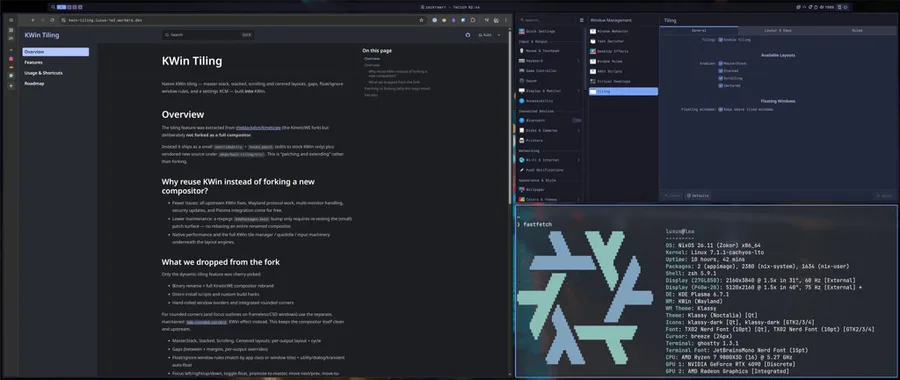
Section titled “What is this?”KWin Tiling adds automatic window tiling to the compositor you already run. New windows snap into a layout; you move, resize, and float them with keyboard shortcuts and the mouse. Everything is configured through System Settings and persists across restarts.
The motivation is native tiling — smoother and more capable than what the
KWin script API allows — without maintaining a renamed compositor fork. We patch
stock KWin with vendored source and a small hooks patch instead of carrying a
full compositor fork like
KineticWE did. See
Design for the comparison — 37 files touched here vs 123
diverging src/ files in the fork, and none of its QPainter backend or install
scaffolding.
What we shipped
Section titled “What we shipped”At a glance:
- Five layout modes — master-stack, stacked, scrolling, centred, and grid
- Gaps — space between tiles and around the screen edge, per-monitor overrides
- Window rules — float or ignore apps by class/title; dialogs auto-float
- Full control — keyboard shortcuts, drag-to-swap, divider resize, settings KCM
- Nix packaging — flake module and overlay; no compositor fork to maintain
See Features for the full breakdown of each layout, rule, and improvement.
Two ways to start
Section titled “Two ways to start”You only need the patched KWin build from this flake. How you log in determines how much else you wire up.
1. KDE Plasma + tiling — very easy
Section titled “1. KDE Plasma + tiling — very easy”Keep your normal Plasma Wayland session. Add the flake module, enable tiling, done.
inputs.kwin-tiling.url = "github:luxus/kwin-tiling";# On the host:imports = [ inputs.kwin-tiling.nixosModules.kwin-tiling ];Then turn tiling on in ~/.config/kwinrc ([Tiling] Enabled=true) or System
Settings → Window Management → Tiling. plasmashell, ksmserver, and your
existing KDE workflow stay as they are — you are just running a patched kwin.
Best when you already use Plasma and only want native tiling.
2. KWin + Noctalia — custom session
Section titled “2. KWin + Noctalia — custom session”Run KWin alone as the compositor in a custom Wayland session, with
Noctalia as the shell (bar,
launcher, lock) instead of plasmashell. You still need the patched KWin from
this flake, plus session plumbing: a wayland-sessions entry, a handful of KDE
user services (portal, kded, powerdevil, …), and Noctalia-specific patches for
lock/logout on kwin-only.
Best for a minimal KDE stack, greetd, or when you do not want full Plasma.
See KWin + Noctalia session for the full checklist. Shortcuts and the tiling KCM work the same in both paths — Usage & Shortcuts.
For packaging details and source layout, see pkgs/kwin-tiling/README.md in the
repository.